• Thế Giới Giải Mã

    Bí ẩn nhân loại Leonardo Da Vinci

  • Thế Giới Giải Mã

    Anh hùng thầm lặng Nikola Tesla

  • Thế Giới Giải Mã

    Thần đèn Thomas Edison

  • Thế Giới Giải Mã

    Người thôi miên Adolf Hitler

Showing posts with label XML. Show all posts

26 June 2021

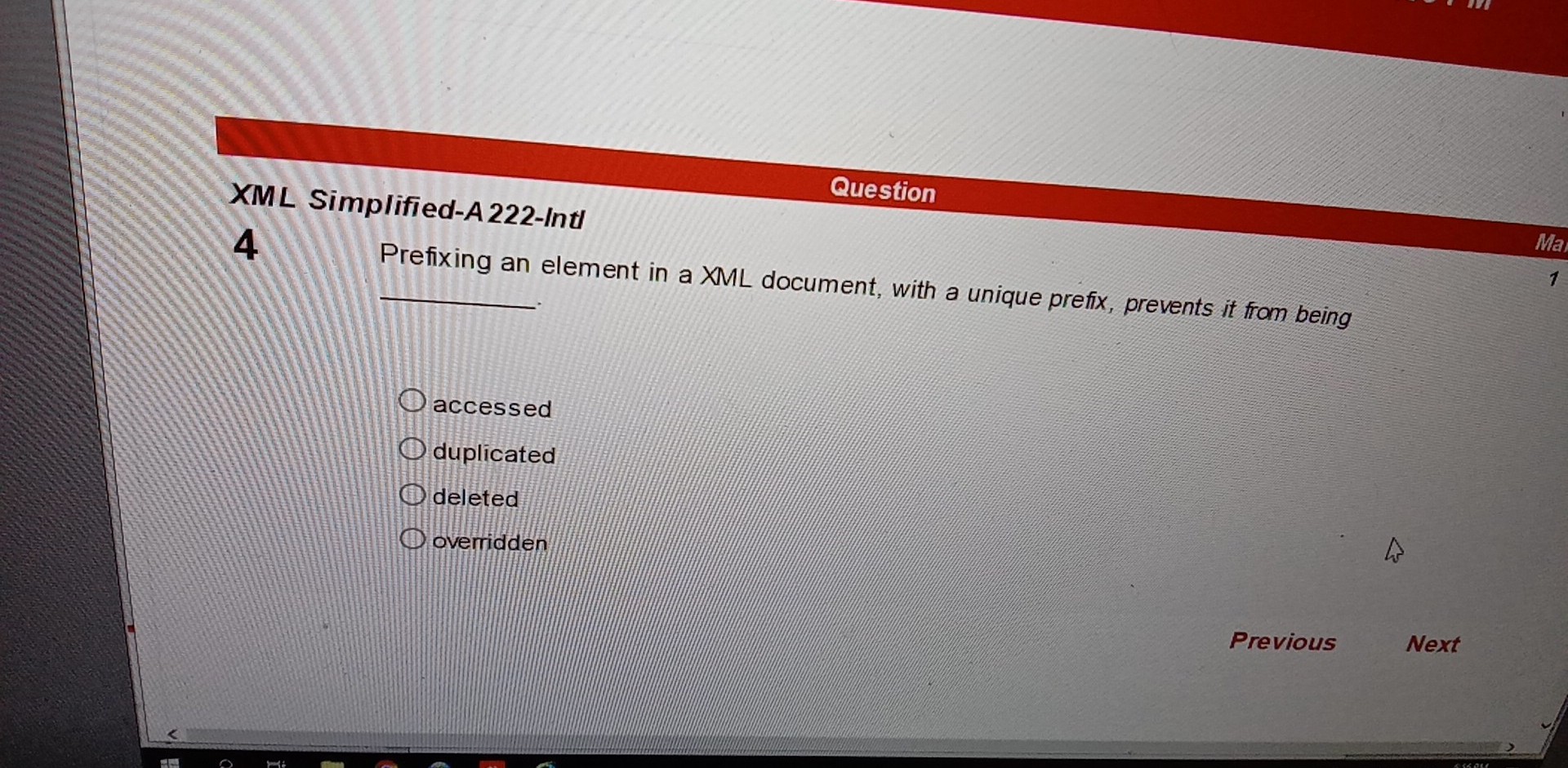
Trắc nghiệm XML - ACCP


Nếu thấy có ích cho bạn hay ủng hộ tôi.

18 November 2016

XML: Validation file XML bởi XSD chạy bằng DOM và SAX

Ở ví dụ này chúng ta chỉ validate bằng XSD không validate bằng DTD. 
Chạy hàm main bằng Argument args[] truyền 2 file sinhvien.xmlsinhvien.xsd

XSD validate những cái gì ?
XSD kiểm tra dữ liệu nhập vào có đúng kiểu khai báo hay không.
VD int, string, double, float, boolean ...

Cách khai báo internal or external DTD và XSD trong file XML [Xem]
Tìm hiểu về DTD và XSD [Xem]
sinhvien.xml
Java XML 2016
<?xml version="1.0" encoding="UTF-8"?>

<aptech>
    <sinhvien id="01">    
        <masv>sv01</masv>
        <hoten>sinh vien 1</hoten>
        <tuoi>12</tuoi>
        <dtb>6.5</dtb>
        <ngaysinh>1881-04-20</ngaysinh>
    </sinhvien>
</aptech>
sinhvien.xsd
Java XML 2016
<?xml version="1.0"?>

<xsd:schema version="1.0"
            xmlns:xsd="http://www.w3.org/2001/XMLSchema"
            elementFormDefault="qualified">
   
    <xsd:element name="aptech">
        <xsd:complexType>
            <xsd:sequence>
                <xsd:element ref="sinhvien" minOccurs="0" maxOccurs="unbounded"/>
            </xsd:sequence>
        </xsd:complexType>
    </xsd:element>
    
    <xsd:element name="sinhvien">
        <xsd:complexType>
            <xsd:sequence>
                <xsd:element name="masv" type="xsd:string"></xsd:element>
                <xsd:element name="hoten" type="xsd:string"></xsd:element>
                <xsd:element name="tuoi" type="xsd:int"></xsd:element>
                <xsd:element name="dtb" type="xsd:double"></xsd:element>
                <xsd:element name="ngaysinh" type="xsd:date"></xsd:element>
            </xsd:sequence>
            <xsd:attribute name="id" type="xsd:string" use="required" />
        </xsd:complexType>
    </xsd:element>

</xsd:schema>
ValidationDOM.java
Java XML 2016
package validatorxsd_p2;

import java.io.*;
import java.util.logging.*;
import javax.xml.parsers.*;
import javax.xml.transform.Source;
import javax.xml.transform.stream.StreamSource;
import javax.xml.validation.*;
import org.w3c.dom.Document;
import org.xml.sax.*;

/**
 *
 * @author Lonely
 */
public class ValidationDOM {
    
    public void validateDom(String xmlFile, String xsdFile) {
        try {
            DocumentBuilderFactory factory = DocumentBuilderFactory.newInstance();
            factory.setValidating(false);
            factory.setNamespaceAware(true);

            SchemaFactory schemaFactory = SchemaFactory.newInstance("http://www.w3.org/2001/XMLSchema");
            factory.setSchema(schemaFactory.newSchema(new Source[]{
                new StreamSource("src\\database\\" + xsdFile)
            }));

            DocumentBuilder builder = factory.newDocumentBuilder();
            builder.setErrorHandler(new MyErrorHandler());
            Document document = builder.parse(new InputSource("src\\database\\" + xmlFile));

        } catch (SAXException ex) {
            Logger.getLogger(ValidationDOM.class.getName()).log(Level.SEVERE, null, ex);
        } catch (ParserConfigurationException ex) {
            Logger.getLogger(ValidationDOM.class.getName()).log(Level.SEVERE, null, ex);
        } catch (IOException ex) {
            Logger.getLogger(ValidationDOM.class.getName()).log(Level.SEVERE, null, ex);
        }
    }
}
ValidationSAX.java
Java XML 2016
package validatorxsd_p2;

import java.io.IOException;
import java.util.logging.*;
import javax.xml.parsers.*;
import javax.xml.transform.Source;
import javax.xml.transform.stream.StreamSource;
import javax.xml.validation.SchemaFactory;
import org.xml.sax.*;

/**
 *
 * @author Lonely
 */
public class ValidationSAX {

    public void validateSax(String xmlFile, String xsdFile) {
        try {
            SAXParserFactory factory = SAXParserFactory.newInstance();
            factory.setValidating(false);
            factory.setNamespaceAware(true);

            SchemaFactory schemaFactory = SchemaFactory.newInstance("http://www.w3.org/2001/XMLSchema");
            factory.setSchema(schemaFactory.newSchema(
                    new Source[]{new StreamSource("src\\database\\" + xsdFile)
                    }));

            SAXParser parser = factory.newSAXParser();
            XMLReader reader = parser.getXMLReader();
            reader.setErrorHandler(new MyErrorHandler());
            reader.parse(new InputSource("src\\database\\" + xmlFile));

        } catch (SAXException ex) {
            Logger.getLogger(ValidationSAX.class.getName()).log(Level.SEVERE, null, ex);
        } catch (ParserConfigurationException ex) {
            Logger.getLogger(ValidationSAX.class.getName()).log(Level.SEVERE, null, ex);
        } catch (IOException ex) {
            Logger.getLogger(ValidationSAX.class.getName()).log(Level.SEVERE, null, ex);
        }
    }
}
MyErrorHandler.java
Java XML 2016
package validatorxsd_p2;

import org.xml.sax.*;

public class MyErrorHandler implements ErrorHandler {

    @Override
    public void warning(SAXParseException e) throws SAXException {
        System.out.print("Warning at line " + e.getLineNumber() + ": ");
        System.out.println(e.getMessage());
    }

    @Override
    public void error(SAXParseException e) throws SAXException {
        System.out.print("Error at line " + e.getLineNumber() + ": ");
        System.out.println(e.getMessage());
    }

    @Override
    public void fatalError(SAXParseException e) throws SAXException {
        System.out.print("Fatal error at line " + e.getLineNumber() + ": ");
        System.out.println(e.getMessage());
    }
}
Main.java
Java XML 2016
package validatorxsd_p2;

public class Main {

    public static void main(String[] args) {
        ValidationDOM d = new ValidationDOM();
        d.validateDom(args[0] , args[1]);
        
        ValidationSAX v1 = new ValidationSAX();
        v1.validateSax(args[0] , args[1]);
    }
}

Tiếp theo ta sẽ chạy project này bằng Arguments truyền hai tham số vàoargs[0] và args[1] như sau:
B1: Đặt con trỏ vào tên project và click chuột phải

B2: Chọn Properties
 B3: Nhập tên file sinhvien.xmlsinhvien.xsd vào ô Arguments cách nhau bằng khoảng trắng rồi nhấn OK
B4: Tiến hành chạy project nhấn F6 để chạy toàn bộ project
-Nếu màn hình successful thì file XML không có lỗi
-Ngược lại lỗi sẽ hiển thị
VD: XML lỗi
Dữ liệu trong XML đúng
Dữ liệu nhập sai tuổi có cả string
Khi chạy project báo lỗi như sau:
...Còn nhiều lỗi khác.
Download (Zip import NetBeans)

XML: Validation file XML bởi DTD chạy bằng DOM và SAX

Ở ví dụ này chúng ta chỉ validate bằng DTD không validate bằng XSD. 
Chạy hàm main bằng Argument args[] truyền 1 file xml

DTD validate những cái gì ?
DTD kiểm tra các thẻ element có viết đúng hay không.

Cách khai báo internal or external DTD và XSD trong file XML [Xem]
Tìm hiểu về DTD và XSD [Xem]
sinhvien.xml
Java XML 2016
<?xml version="1.0" encoding="UTF-8"?>
<!DOCTYPE people SYSTEM "sinhvien.dtd">

<people>
    <person ID="001">
        <title>MR</title>
        <name>Ewin Antonio</name>
        <name>Malik Shabazz</name>
        <name>Malcolm Little</name>
        <born>13 May 1955</born>
        <died>20 February 1915</died>
        <nationality>american</nationality>
        <email>antonio@giaima.com</email>
    </person>
    <person ID="002">
        <title>MR</title>
        <name>Mahatma Andraw</name>
        <born>20 October 1863</born>
        <died>03 January 1958</died>
        <nationality>Indian</nationality>
        <email>andraw@giaima.com</email>
    </person>
    <person ID="003">
        <title>MR</title>
        <name>John F. Benito</name>
        <name>JFK</name>
        <name>Jack Kennedy</name>
        <born>29 January 1901</born>
        <died>01 November 1913</died>
        <nationality>american</nationality>
        <email>benito@giaima.com</email>
    </person>
</people>
sinhvien.dtd
Java XML 2016
<?xml version="1.0" encoding="UTF-8"?>
<!ELEMENT people (person+)>
<!ELEMENT person (title, name+, born, died?, nationality*, email*)>
  <!ATTLIST person ID CDATA #REQUIRED>
<!ELEMENT title (#PCDATA)>
<!ELEMENT name (#PCDATA)>
<!ELEMENT born (#PCDATA)>
<!ELEMENT died (#PCDATA)>
<!ELEMENT nationality (#PCDATA)>
<!ELEMENT email (#PCDATA)>
ValidationDOM.java
Java XML 2016
package validationdtd;

import java.io.IOException;
import java.util.logging.*;
import javax.xml.parsers.*;
import org.xml.sax.*;

/**
 *
 * @author Lonely
 */
public class ValidationDOM {

    public void validDOM(String xmlFile) {
        try {
            DocumentBuilderFactory factory = DocumentBuilderFactory.newInstance();
            factory.setValidating(true);

            DocumentBuilder builder = factory.newDocumentBuilder();
            builder.setErrorHandler(new MyErrorHandler());
            builder.parse(new InputSource("src\\database\\" + xmlFile));

        } catch (ParserConfigurationException ex) {
            Logger.getLogger(ValidationDOM.class.getName()).log(Level.SEVERE, null, ex);
        } catch (SAXException ex) {
            Logger.getLogger(ValidationDOM.class.getName()).log(Level.SEVERE, null, ex);
        } catch (IOException ex) {
            Logger.getLogger(ValidationDOM.class.getName()).log(Level.SEVERE, null, ex);
        }
    }
}

ValidationSAX.java
Java XML 2016
package validationdtd;

import java.io.IOException;
import java.util.logging.Level;
import java.util.logging.Logger;
import javax.xml.parsers.*;
import org.xml.sax.*;

/**
 *
 * @author Lonely
 */
public class ValidationSAX {

    public void validSAX(String xmlFile) {

        try {
            SAXParserFactory factory = SAXParserFactory.newInstance();
            factory.setValidating(true);
            factory.setNamespaceAware(true);
            
            SAXParser parser = factory.newSAXParser();
            XMLReader reader = parser.getXMLReader();
            
            reader.setErrorHandler(new MyErrorHandler());
            reader.parse(new InputSource("src\\database\\"+xmlFile));
            
        } catch (ParserConfigurationException ex) {
            Logger.getLogger(ValidationSAX.class.getName()).log(Level.SEVERE, null, ex);
        } catch (SAXException ex) {
            Logger.getLogger(ValidationSAX.class.getName()).log(Level.SEVERE, null, ex);
        } catch (IOException ex) {
            Logger.getLogger(ValidationSAX.class.getName()).log(Level.SEVERE, null, ex);
        }
    }
}

MyErrorHandler.java
Java XML 2016
package validationdtd;

import org.xml.sax.*;

public class MyErrorHandler implements ErrorHandler {

    @Override
    public void warning(SAXParseException e) throws SAXException {
        System.out.print("Warning at line " + e.getLineNumber() + ": ");
        System.out.println(e.getMessage());
    }

    @Override
    public void error(SAXParseException e) throws SAXException {
        System.out.print("Error at line " + e.getLineNumber() + ": ");
        System.out.println(e.getMessage());
    }

    @Override
    public void fatalError(SAXParseException e) throws SAXException {
        System.out.print("Fatal error at line " + e.getLineNumber() + ": ");
        System.out.println(e.getMessage());
    }
}

Main.java
Java XML 2016
package validationdtd;

/**
 *
 * @author Lonely
 */
public class Main {

    public static void main(String[] args) {

        ValidationDOM v = new ValidationDOM();
        v.validDOM(args[0]);
        
        ValidationSAX v1 = new ValidationSAX();
        v1.validSAX(args[0]);

    }
}

Tiếp theo ta sẽ chạy project này bằng Arguments truyền 1 tham số vào args[0] như sau:

B1: Đặt con trỏ vào tên project và click chuột phải
B2: Chọn Properties
 B3: Nhập tên file sinhvien.xml vào ô Arguments cách nhau bằng khoảng trắng rồi nhấn OK
B4: Tiến hành chạy project nhấn F6 để chạy toàn bộ project
-Nếu màn hình successful thì file XML không có lỗi
-Ngược lại lỗi sẽ hiển thị
VD: XML lỗi
XML đúng
XML lỗi
Khi chạy project báo lỗi như sau:
...Còn nhiều lỗi khác.
Download (Zip import NetBeans)

17 November 2016

XML JAVA: Tìm hiểu DTD và XSD

1. Document Type Definition (DTD)
Document Type Definition (DTD) describes the objects (such as elements, attributes, entities) and the relationship of the objects in a XML document. It specifies a set of constraints and establishes the trees that are acceptable in an XML document.
A DTD can be declared inside an XML document (i.e., inline), or referenced as an external file.
An inline DTD is wrapped in a DOCTYPE declaration, and has the following syntax:
1<!DOCTYPE root-element [
2   declarations
3]>
A DTD can also be stored in an external file. An XML document can reference an external DTD via the following syntax:
1<!DOCTYPE root-element SYSTEM "DTD-filename">
DTD Syntax
XML’s DTD has its own syntax different of XML’s syntax which consists of declarations (for element, attributes and so on) such as:
  • Document Type declaration:
    1<!DOCTYPE ...>
  • Element declaration:
    1<!ELEMENT element-name (element-content)>
    2<!-- OR -->
    3<!ELEMENT element-name category>
    Examples:
    1<!ELEMENT title (#PCDATA)>              // contain parsed character data
    2<!ELEMENT name (first_name, last_name)> // contain child elements
    3<!ELEMENT person(title, name+, born, died?, nationality*)>
    4        // name (one), ? (zero or one), + (one or more), * (zero or more)
    5
    6<!ELEMENT linebreak EMPTY>   // an empty-element
    7<!ELEMENT message ANY>       // combination of all
    Category (or special content):
    #PCDATA (Parsed Character Data): texts that will be examined for entity references and tags;
    EMPTY: Empty element (for leaf element only);
    ANY: unrestrictive;
    Occurrence Indicators:
    "+": one or more occurrences;
    "*": zero or more occurrences;
    "?": zero or exactly one occurrence;
    o No occurrence indicator: exactly one;
    Connector:
    ",": indicate the sequence of the child elements
    "|": choices (or) – choose only one of them
  • The structure of attributes in element start-tag is declared in DTD like:
    1// Declaring "attribute" in DTD
    2<!ATTLIST element-name
    3  attribute-1-name attribute-1-type default
    4  attribute-2-name attribute-2-type default
    5  ...
    6>
    7// default
    8default-value|#REQUIRED|#IMPLIED|#FIXED value
    Examples:
    1// Examples
    2<!ATTLIST person ID CDATA #REQUIRED>
    3<!ATTLIST trade action (buy|sell) #REQUIRED>  // enumeration type
    4<!ATTLIST person
    5    ID CDATA #REQUIRED
    6    SSNUM CDATA
    7>
    Attribute types:
    CDATA (Character Data): text strings that will not be parsed for entity references and tags.
    ID: an unique identifier.
    IDREF, IDREFS: reference(s) to a previously defined ID.
    ENTITY, ENTITIES: external entity(entities).
    NMTOKEN, NMTOKENS: word(s) not containing spaces.
    o Enumeration: list of NMTOKEN separated by “|”.
    Default:
    #REQUIRED: must be provided in the document.
    #IMPLIED: use the application default.
    #FIXED value: must use this value.
    o A literal default value.
  • Entity declaration: A “entity” is a variable allowing the definition of replacement text or special characters where the entity reference is used in the form of &entity-name; to obtain the value of the variable. Entities can be declared inline or external:
    1// Inline "entity" declaration
    2<!ENTITY entity-name "entity-value">
    3// External "entity" declaration
    4<!ENTITY entity-name SYSTEM "url">
    Examples:
    1<!ENTITY author "Antonio Andreo">  // In XML documents, entity referenced as &author;
    2<!ENTITY mywebsite SYSTEM "http://www.google.com">
  • Define Notation for an external entity:
    1<!NOTATION ...>
Usage and Limitations of DTD
DTD defines the structure of XML documents, which could facilitate exchanges of documents between services. However, DTD has some limitations:
  • DTD has its own syntax (which is inherited from SGML DTD) and requires a dedicate processing tool to process the content. It does not use XML syntax and XML processor.
  • DTD does not support object-oriented concepts such as hierarchies and inheritance.
  • DTD’s data type is limited to text string; and does not support other data types like number, date etc.
  • DTD does not support namespaces.
  • DTD’s occurrence indicator is limited to 0, 1 and many; cannot support a specific number such as 8.

2. XML Schema Definition (XSD)
XML Schema developed by W3C via a recommendation in May 2001, is a description language to define the structure and content type of an XML document. It overcomes the limitation of DTD and meant to replace DTD for the checking of XML document validity. In brief, the XML Schema:
  • is a well-formed XML document, which uses XML syntax;
  • is object-oriented, support concepts like inheritance;
  • supports namespaces;
  • supports more data type;
  • more element occurrence indicators.
Note: The current version of XSD 1.1 (september 2012) became a approved W3C specification in April 2012.
So, the purpose of an XML Schema is to define the legal building blocks of an XML document, just like a DTD. Steps to follow in order to write a XSD document:
  • Use of XML syntax
  • Defining rules:
    • define elements that can appear in a document
    • define attributes that can appear in a document
    • define which elements are child elements
    • define the order of child elements
    • define the number of child elements
    • define whether an element is empty or can include text
    • define data types for elements and attributes
    • define default and fixed values for elements and attributes
    Source: http://www.w3schools.com/Schema/schema_intro.asp
  • Save the document with the extension “.xsd”
  • Reference the XSD document in the XML document like:
    1<cars xmlns:xsi="http://www.w3.org/2001/XMLSchema-instance"xsi:noNamespaceSchemaLocation="car.xsd">
XSD Syntax
This article outlines the XML-Schema but is not a reference to the syntax of this language.
We assume have the below configuration:
1<xs:schema xmlns:xs="http://www.w3.org/2001/XMLSchema">
  • Elements:
    • The most common types are xs:stringxs:decimalxs:integerxs:boolean,xs:datexs:time; for example:
      1<xs:element name="age" type="xs:integer"/>
    • define a default value (default):
      1<xs:element name="country" type="xs:string" default="USA"/>
    • define a fixed value (fixed):
      1<xs:element name="country" type="xs:string" fixed="France"/>
  • Attributes:
    • only complex elements can have attributes;
    • the declaration of attributes with a default or fixed value is identical to the elements:
      1<xs:attribute name="firstname" type="xs:string" default="Huseyin"/>
      2<xs:attribute name="lastname" type="xs:string" fixed="OZVEREN"/>
    • define a mandatory attribute (required):
      1<xs:attribute name="email" type="xs:string" use="required"/>
    • define a optional attribute (optional):
      1<xs:attribute name="email" type="xs:string" use="optional"/>
  • Restrictions
    It is possible
    • to place restrictions on attributes or elements;
    • to define a values range (minInclusive and maxInclusive):
      1<xs:minInclusive value="minimum"/> <xs:maxInclusive value="maximum"/>
    • to define a list of values (enumeration):
      1<xs:enumeration value="a_value"/>
    • to define a pattern (pattern):
      1<xs:pattern value="[AZ][AZ][AZ]"/> <xs:pattern value="([az])*"/>
    • to define a behaviour for the treatment of spaces:
      o spaces are kept (preserve):
      1<xs:whiteSpace value="preserve"/>
      o spaces replace the LF,CR,TAB… (replace):
      1<xs:whiteSpace value="replace"/>
      o spaces replace the LF,CR,TAB… and remove the spaces before/after and concatenate successives spaces in one space (collapse):
      1<xs:whiteSpace value="collapse"/>
    • to define a length (lengthminLength and maxLength):
      1<xs:length value="8"/>
      2<xs:minLength value="5"/>
      3<xs:maxLength value="8"/>
    • to define restriction on decimals with fractionDigits and totalDigits
  • Complex elements
    • use of tag xs:complexType;
    • the definition of a complex element can be done directly at the element itself or by the name of the complex type (which allows multiple elements share the same complex type);
    • a complex type can enrich another complex type or not (extension):
      1<xs:extension base="basic_type">
    • a complex type can also restrict another (restriction):
      1<xs:restriction base="xs:integer">
    • mix free text with tags (mixed) like:
      1my web site <blogname>JAVA BLOG</blogname>
      2<xs:complexType mixed="true">
  • Indicators
    • Allows to control how the elements will be used;
    • Order indicators:
      xs:all: sub-elements appear in any order;
      xs:choice: indicates that a single sub-elements may appear;
      xs: sequence: instructs the sub-elements, they must appear in a specific order;
    • Indicators of occurrence (how many times an element can appear):
      maxOccurs: maximum number (default 1). For unlimited use:maxOccurs=”unbounded”;
      minOccurs: minimum number;
    • Indicators of group:
      group: allows to group logically the elements;
      attributeGroup: allows to group logically the attributes;
  • Extension
    • the Any tag allows to add any item as a result of those precisely defined:
      1<xs:any minOccurs="0"/>
    • the anyAttribute tag allows to add attributes not specified in the schema;
    • the substitutionGroup tag allows to define a schema that applies to an XML document whose the tags still would not carry the same name:
      1<name /> <nom />
      . It is also possible to block the substitution.
Usage and Limitations of XSD
XSD is a description language to define the structure and content type of an XML document. It overcomes the limitation of DTD and meant to replace DTD for the checking of XML document validity.
XSD allows the creation of standards (Internet languages like xHTML, RSS, WSDL…etc), allows the data integrity, allows a very accurate validation compared to the DTD. However, XSD has the limitation to be long to write for complex structures.
XSD Validate pattern http://www.codesynthesis.com/projects/xsstl


BACK TO TOP

Xuống cuối trang